
 Adobe InDesign CS5 7 х64 RUS + 2 Видеокурса от 16.03.2012
Профессиональный продукт для проектирования дизайна любых печатных или Интернет изданий. Adobe InDesign обладает всеми прогрессивными возможностями и инструментами машинной верстки, с помощью которых можно быстро и эффективно разрабатывать дизайн страниц любой сложности. Также в сборке присутствует 2 Видеокурса - "InDesign Secrets" и "InDesign Tables In Depth".
Adobe InDesign CS5 7
Версия программы: 7.0
Архитектура: х64
Язык интерфейса: Русский
Лечение: в комплекте
Тип лекарства: патч-кейген
Видеокурс "InDesign Secrets"
Год выпуска: 2011-2012
Продолжительность: ~2 ч
Тип материала: Видеоурок
Язык: Английский
Файлы примеров: присутствуют
Формат видео: MOV
Видео: AVC 960x540 15fps ~150Kbps
Аудио: AAC 48kHz 1ch 128Kbps
Видеокурс "InDesign Tables In Depth"
Год выпуска: 2012
Продолжительность: ~3,5 ч
Тип материала: Видеоурок
Язык: Английский
Файлы примеров: присутствуют
Формат видео: MOV
Видео: AVC 960x540 15fps ~200Kbps
Аудио: AAC 48kHz 2ch 128Kbps
Размер сборки: 2677,68 MB
Adobe InDesign CS5 7
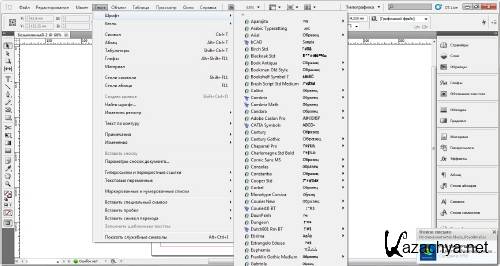
Профессиональный продукт для проектирования дизайна любых печатных или Интернет изданий. Adobe InDesign обладает всеми прогрессивными возможностями и инструментами машинной верстки, с помощью которых можно быстро и эффективно разрабатывать дизайн страниц любой сложности. Программа поддерживает импорт рисунков и текста из самых разнообразных форматов, включая PDF и XML файлы, предлагает большой набор инструментов для редактирования импортированных материалов, куда входит работа со слоями, каскадными стилями оформления, таблицами и шаблонами.
Список изменений:
- Расширен набор основных инструментов, улучшен интерфейс.
- Улучшена работа со слоями изображений.
- Улучшена совместная работа с Adobe Photoshop и Adobe Illustrator.
- Новая функция, позволяющая создавать электронные книги для устройств типа Apple iPad и Sony Reader.
- Улучшена работа по дизайну текстовых блоков, расположенных в колонках.
- Появилась возможность создавать различные по размеру страницы в одном документе.
Видеокурс "InDesign Secrets"
Содержание:
000 Intro to InDesign Secrets 00m 51s
001 The hidden "auto-expand text" feature 05m 51s
002 Letting InDesign do the math for you 03m 15s
003 The indispensible Quick Apply feature 05m 29s
004 Customizing the Links panel 06m 53s
005 Magically building graphs with the Chartwell font 07m 43s
006 Using the Eyedropper tool to pick up character or paragraph attributes 03m 21s
007 Selecting through and into objects using cmd-click and Select Above/Below 05m 46s
008 Some great tips and tricks for the Swatches panel 09m 40s
009 Saving down for backward compatibility with INX and IDML 05m 55s
010 Using the INX and IDML formats to fix problems 04m 46s
011 InDesign's Easter eggs 05m 00s
012 Three cool GREP styles everyone can use 07m 35s
013 A field guide to special characters 08m 02s
014 Trashing the application preferences to solve weird behaviors 04m 42s
015 Aligning numbered lists by decimal points 03m 10s
016 Running a script 09m 33s
017 When text disappears from a text frame 06m 18s
018 Preview and Presentation modes (changing color, etc.) 04m 08s
019 Using multiple windows for comparisons 03m 35s
020 Putting images on a stroke 05m 23s.
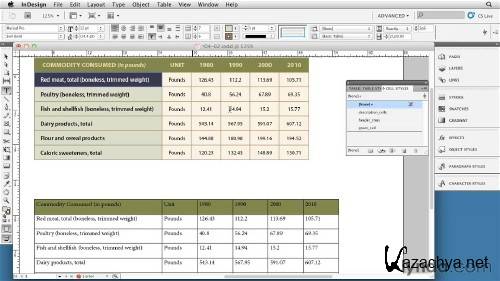
Видеокурс "InDesign Tables In Depth"
Содержание:
Welcome 01m 21s
Introduction 00m 49s
Using the exercise files 00m 32s
1. Understanding Table Fundamentals 11m 20s
The three "Golden Rules" 02m 45s
Accessing table commands 02m 20s
Navigating and selecting tables 03m 14s
Where do tables come from? 03m 01s
2. Basic Table Formatting 01h 02m
Positioning tables in a text frame 05m 38s
Setting table borders 06m 03s
Inserting and deleting rows and columns 05m 22s
Setting header and footer rows 03m 20s
Working with alternating strokes and fills 07m 35s
Setting row height and column width 07m 13s
Formatting text in a cell 04m 51s
Positioning text in a cell 03m 50s
Mastering row and column strokes 11m 31s
Working with cell fills 04m 28s
Setting diagonal lines in tables 02m 57s
3. Other Table Formatting 22m 55s
Merging and splitting cells 04m 16s
Creating tables with rounded-corner borders 05m 33s
Rotating text in a cell 06m 13s
Using gradients in tables 04m 28s
Dealing with overset text 02m 25s
4. Table and Cell Styles 25m 55s
Understanding the limitations of table and cell styles 04m 28s
Setting up and applying cell styles 08m 21s
Setting up and applying table styles 07m 15s
Using cell styles to "clean up" table styles 05m 51s
5. Updating Tables 18m 13s
Working with linked files 11m 55s
Using Cut and Paste to update table data 06m 18s
6. Working with Images in Tables 16m 41s
Placing images in tables 08m 33s
Using graphics frames in tables 08m 08s
7. Gettin' Fancy: Using Anchored Objects in Tables 16m 54s
Using shapes to change cell corners 08m 02s
Creating infographics with tables 08m 52s
8. Tables That Don't Look Like Tables 17m 36s
Simplifying complex text frames with tables 05m 59s
Setting up images and captions with tables 06m 33s
Creating pull quotes and design objects using tables 05m 04s
9. Exporting Tables to EPUB and HTML 12m 02s
Comparing table styling for best export results 06m 58s
Converting tables to graphics for export 05m 04s
Conclusion 00m 50s
Next steps 00m 50.
Скриншоты:

Скачать "Adobe InDesign CS5 7 х64 RUS + 2 Видеокурса от 16.03.2012":
Для просмотра скрытого текста необходимо зарегистрироваться или войти на сайт.
